Profile

My photo
Lecturer Profile Annette Cosgrove MComm DSA is currently a lecturer in School of Science, Dept of Maths/Computing GMIT, teaching on BSC in Bus Computing & Digital Media and Bsc in Software Development . Annette is course director for the aforementioned program and has 15 years lecturing experience fulltime in GMIT, and 3 years part-time in NUIG. Current areas of lecturing include Web Development, Social Computing & Digital Media, Cloud Computing applications, Business Communication technologies, Project Costing & Management Techniques and Software /Enterprise final year Project submissions.

Wednesday, April 24, 2013

E-Portfolio Software

All our first year students create an e-portfolio using Mahara ( server was managed by DIT) - This allows the student to create a portfolio of work throughout their college years. This is particularly beneficial for our Digital Media Students as they can showcase ther graphics ability with website links , photoshop images, videos they have created etc.

mahara.bluebrick.ie

Our second year software students also used foliofor.me , a cloud based eportfolio software ( also from MAHARA)
This eportfolio can be easily converted to a HTML web page & continued to be used by the student - our students created some great eportfolios & converted them to web pages.

foliofor.me

Other software we have used .......

Linked-in - social networking website for people in professional occupations. As of January 2013, LinkedIn reports more than 200 million acquired users in more than 200 countries and territories (LinkedIn, 2013) 


PebblePad -    commercial eportfolio system and as such requires payment of an annual fee. 

http://www.pebblepad.co.uk/cs_documentation/overviewpebble/overviewpebble.htm video showing main features

Google Sites

https://support.google.com/sites/?hl=en#topic=1689606

 are provided as part of the suite of free tools to Google account holders. Google sites has a variety of templates, all of which are suitable to use for eportfolio development. The beauty of Google sites is that it is free, integrates well with all other Google services such as Docs, Picasa and Blogger, has no requirement to be associated with an Institute and is available for life.

Wikis and Blogs

Although not designed specifically for use as an eportfolio, Wikis and blogs have all the features needed to be utilized as your own personal eportfolio system. You can upload and share files, link and embed online resources, blog, discuss and share.

So hopefully after this module you will all have excellent e-portfolios & technical blogs ....!!!!


Social Networking Tools

Social Media apps

HOOTSUITE.     http://hootsuite.com/
Useful for managing all social media applications on your desktop


 YAMMER . Create  a college /business social media page, using company logo  ( alternative to Facebook for business)
https://www.yammer.com/

WILDFIRE by Google http://www.wildfireapp.com/
Social media marketing software
Useful for collaboration with students /communities


Brain Storming Software

 Students found Gliffy very useful for group brainstorming sessions  - stored on the cloud , all members of groups could collaborate from home - resulted in much better results  - Some groups used MindMeister and preferred its interface - try them out and letus know your feedback - other brainstorming sware listed below .....

Web Services and Apps for EDUCATION

Great Resources for Finding Web Services and Apps


Curating Software

Curating involves pulling information from various sources on the internet & putting them all together in one place

  • Diigo   electronic highlighting facility for the web - excellent for students
  • Scoop.it  similar to twitter interface & feeds
  •  Pinterest where you put all of your "favourite things" together in one space eg twitter feed, news feeds
  • Storify allows you to create your own story by pulling in feeds from various sources - useful tool for education
  • Paper.li - Allows you to create your own daily or weekly newspaper with all the info that you are interested in - We created a "Digital Media 2 paper" and had links from a lot of interesting educational resources - this kept students up to date with digital media throughout the year -

Timeline Cloud Software

For Timelines - our class mostlly used Timeglider

Cloud Software to Create Word Clouds


  • Word Clouds are a useful way of making a presentation or a website more interesting .........
  •  Wordle  and Word It Out are the 2  that we have used most in class.....

Other Word Cloud Software include:

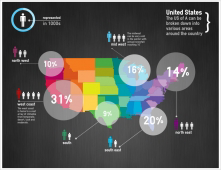
Cloud Software Links for Infographics


Infographics applications are a fantastic way of accessing data & presenting it in a professional, more interesting format - I mostly use Ease.ly and Visual.ly - but try some of the software below & let me know which one you prefer ............

Cloud Software Links for Presentation Software


Prezi

Cloud Presentation software - ideal for media presentation - more powerful graphic capabilities than Powerpoint
Just create an account & access your presentation from any device - Year 2 Computing students used this for their presentations this year and did brilliant presentations using PREZI
Link :

www.prezi.com  
Lots of sample presentations here to give you some ideas on how best to use PREZI


Other Cloud Software that we have used for presentations are the following : Use them and let me know which one you prefer

Google Presentations

http://www.ewcpresenter.com/  includes excellent infographics facility

CLEARSLIDE ( was SLIDESHARE) - very easy to use & navigate
https://www.clearslide.com/ 

ZohoShow 

280 Slides 

Powtoon 
  
Glogster.edu 

Vuvox 

Museum Box